
Ready for your game.
Game Mode, background capture, mouse and power settings. Every option includes an explanation of its effects and a risk label.
Windows Game ModeGAMING
Mouse accelerationINPUT
Background recordingSYSTEM
Settings you stay in control of.
Windows tweaks, profiles and diagnostics in one place.
Windows 11 x64 · v2.1.1 · 66.2 MB
Free development release. Requirements and file details ↗
Sample data. This preview does not read your hardware or change any settings on your computer.
Explained before you apply them
From performance to privacy
Profiles, diagnostics and history
LESS SEARCHING. MORE CONTROL.
Explore Windows settings in one place. Read what they do, choose the options that suit your PC and decide what to change.
Game Mode, background capture, mouse and power settings. Every option includes an explanation of its effects and a risk label.
Measure RTT, jitter and packet loss. Compare your connection using results from Latency Analyzer.
Built-in presets and custom profiles. Save selected options, export them to JSON and return to your configurations.
1TAP backs up previous values before changing them. Review operations, restore values and see detected conflicts in history.
See how restoring worksUNDERSTAND IT BEFORE YOU CHANGE IT
Search the app catalog, choose a category and review the effects. High-risk options require advanced mode in 1TAP.
SEE EXACTLY WHAT IS INSIDE
This is 1TAP running on Windows.
Choose a screen and take a closer look.
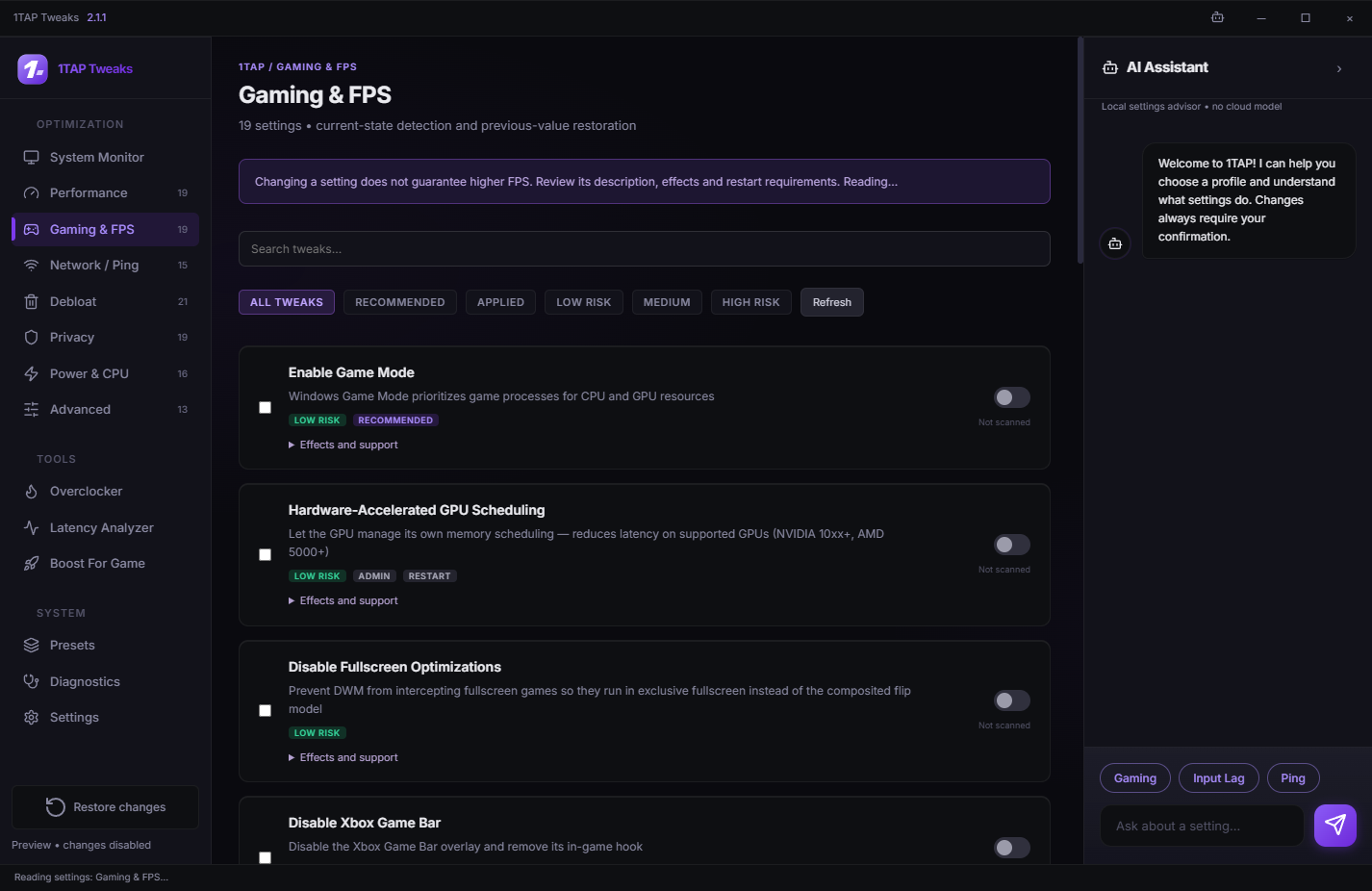
Gaming options with search, risk filters and explanations of their effects.
ACTUAL APP INTERFACE · 2.1.1YOU CHOOSE. 1TAP ORGANIZES.
Read the description, risk label and requirements. Choose a single option or a preset.
Review your changes before they are written. 1TAP saves previous values and verifies the result.
Return to history, review operations and restore saved values. Conflicts are reported before anything is overwritten.
History covers changes made by 1TAP. The effect of each setting depends on your Windows version and hardware.
GOOD TO KNOW
A desktop app for exploring and changing Windows settings. It brings together 122 options across 7 categories, profiles, diagnostics, Latency Analyzer and change history. This site presents version 2.1.1.
No. Preview controls work only in this browser tab, using sample data. Reloading the page resets the demo. Actual changes require opening the Windows app and confirming the selected operations.
Yes, through Restore changes, if the app saved the previous values. History does not cover changes made by other programs. Keep your backup folder. Conflicts and interrupted operations are reported instead of silently overwriting settings.
We do not promise a specific FPS increase or ping reduction. Results depend on your hardware, system and game. Choose settings for your PC and compare results under the same conditions.
Tested on Windows 11 x64, build 26100. Microsoft Edge WebView2 Runtime is required. .NET is included. Some settings require administrator access, signing out or a restart. GPU controls depend on your driver and the optional hardware module.
Diagnostics and the advisor work locally; reports are not uploaded automatically. Network analysis sends ICMP probes to your selected host only when you start it. This site has no data-collection forms or checkout.
Click Download for Windows to get the EXE directly, without an account or payment. Save it to a folder and run it. This is a portable app with no installation wizard. Version 2.1.1 is a development release without a publisher digital signature. Windows may show an unknown-publisher message. File details and requirements are listed in the download section.

1TAP ON YOUR COMPUTER
v2.1.1 · Windows 11 x64 · 66.2 MB · Free
Save the EXE and open the app. .NET is included. The interface requires Microsoft Edge WebView2, available on most Windows 11 computers.
The 122-setting catalog, profiles, diagnostics and change history. The optional GPU control module is not included in this file.
The file does not yet have a publisher digital signature. Some operations require administrator access. Opening the app does not apply tweaks automatically.
45581f658d89c4289b56b8ba59501f8eed68f384a655e4dc36fb76519af555dcDownload checksum ↓